 Scaffold Panel
The 7-day inspection register for scaffolding firms.
Every scaffold you inspect, with its last inspection and the next due date. A scaffold turns red the day it is overdue. Inspect on a phone and the report is ready for the client.
- 14 days free, no card
- £99 a month for up to 3 logins
- Phone or PC, nothing to install
- Works offline on site
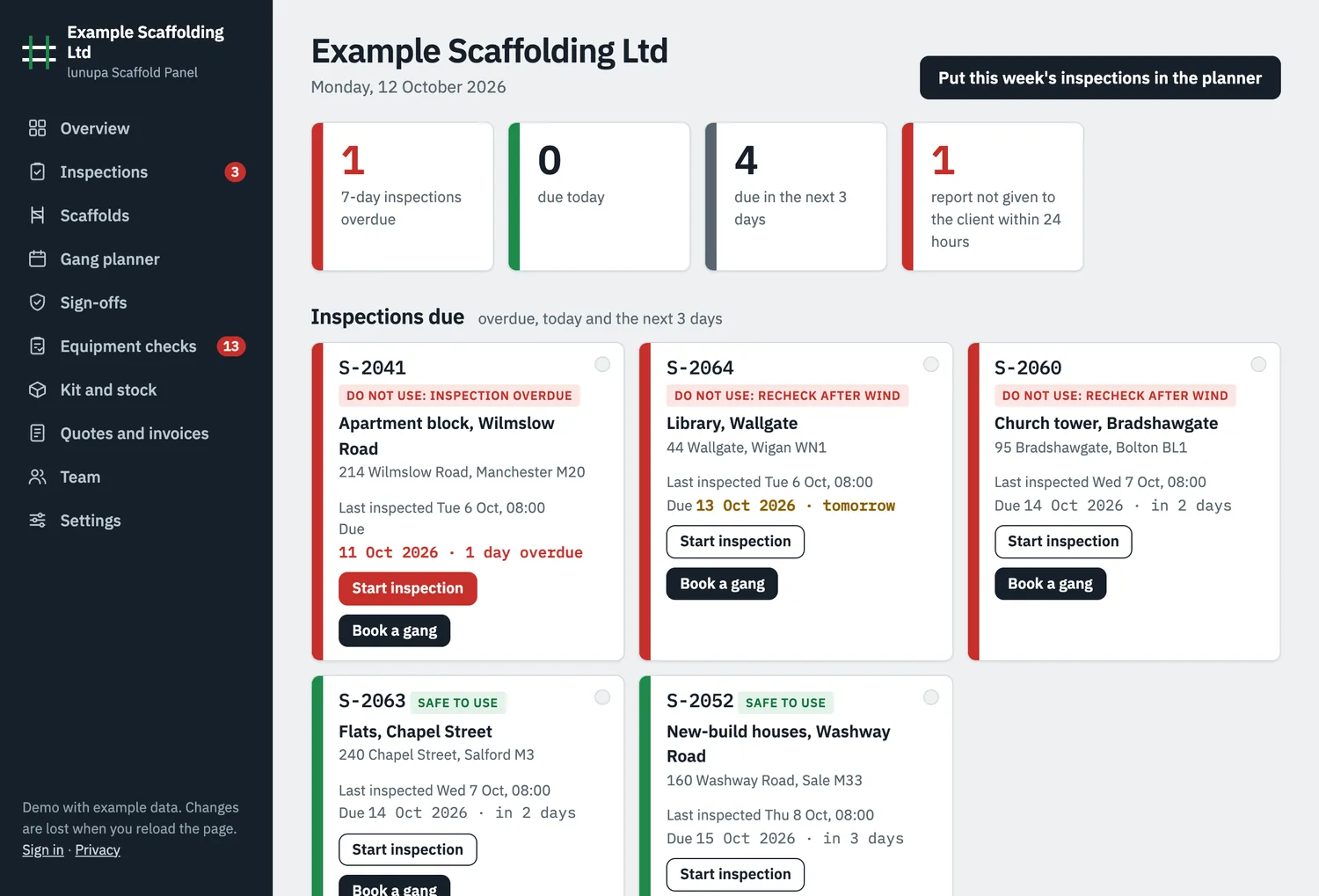
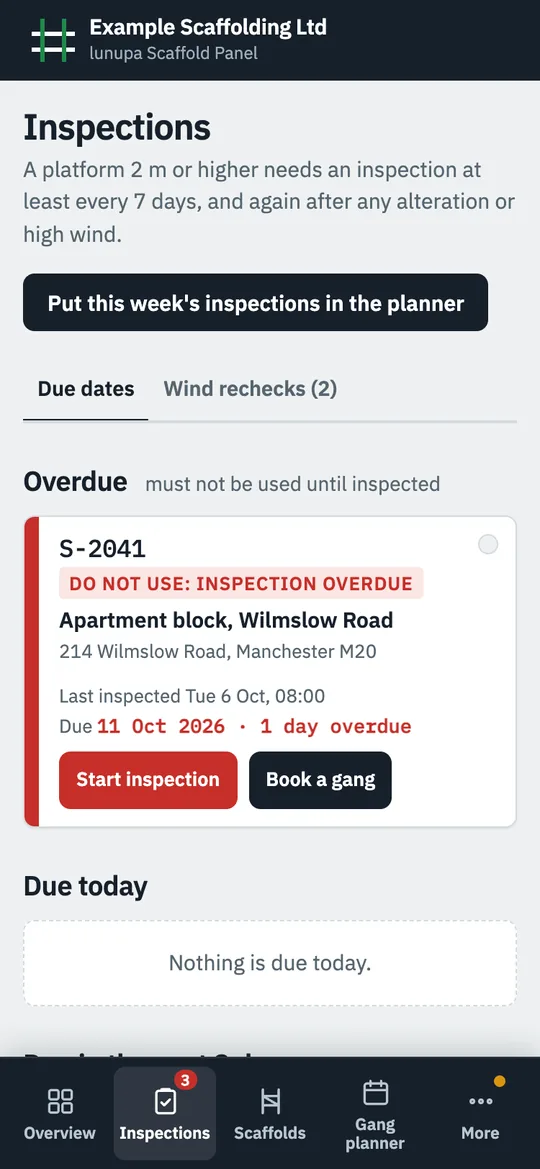
See which scaffolds need a recheck after high wind.
The panel takes the gusts at each of your sites from the Met Office, measured at the nearest station for the last 48 hours and forecast for the next 48.

Sample weather from the demo. The live panel uses Met Office data.
- Your own gust limits, with a lower one for netted or sheeted scaffolds.
- A gust over the limit puts the scaffold on the recheck list as do not use.
- Forecast high wind lists the scaffolds at risk, and one button books the rechecks.
- Met Office severe weather warnings for your region on the same page.
A scaffold has to be inspected again after anything that could have made it unsafe, such as high wind (Work at Height Regulations 2005, regulation 12).
What happens on site
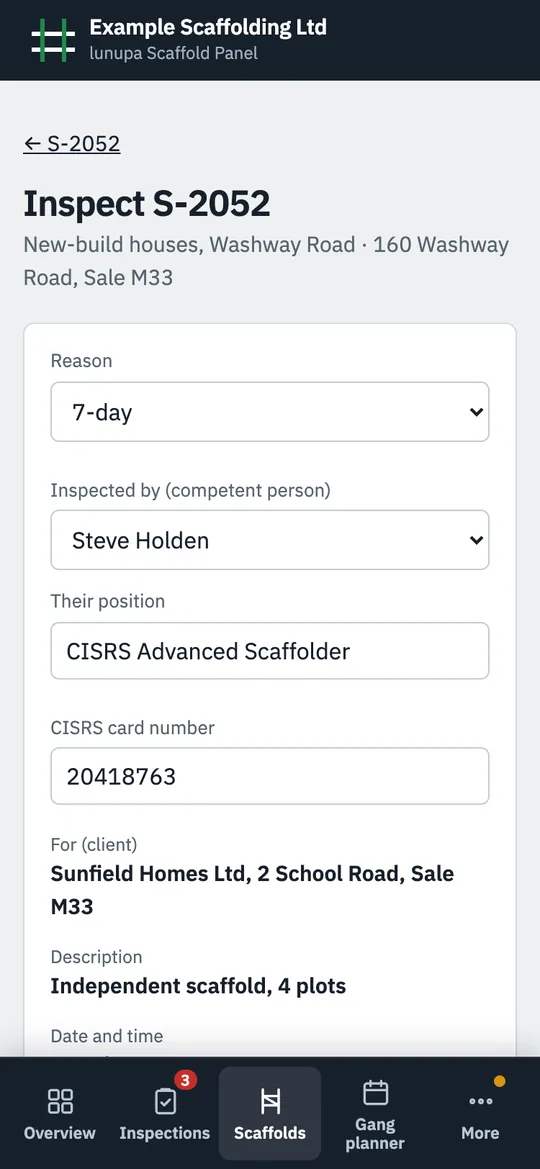
Inspect on the phone
Tick each check and pick the fault from your own list. The client, the location and the time fill in on their own, and one defect marks the scaffold do not use.
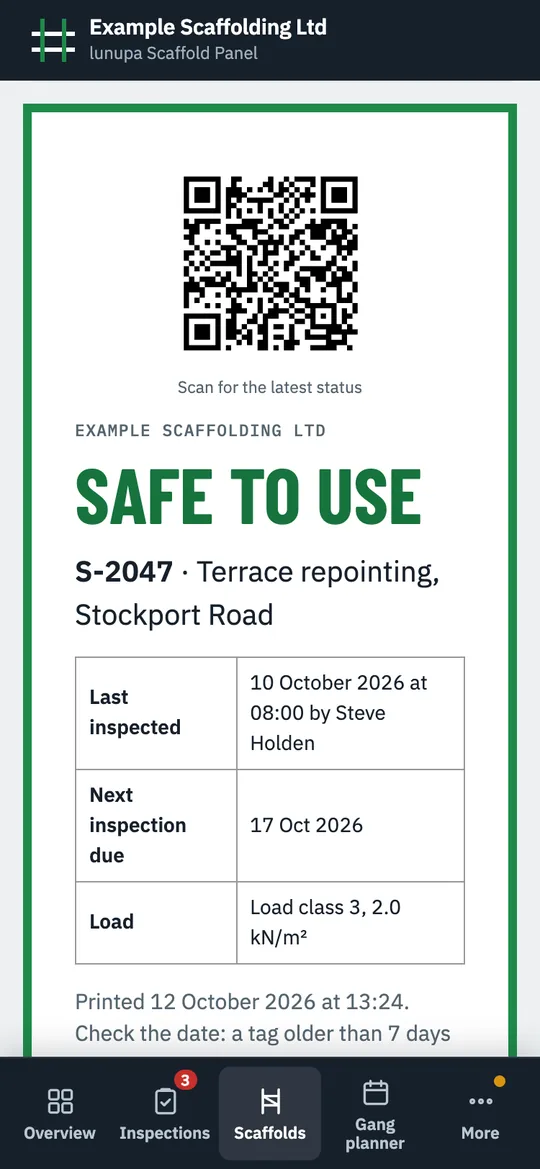
Print the tag
The tag says safe to use or do not use and when the next inspection is due. Its QR code shows the latest status.
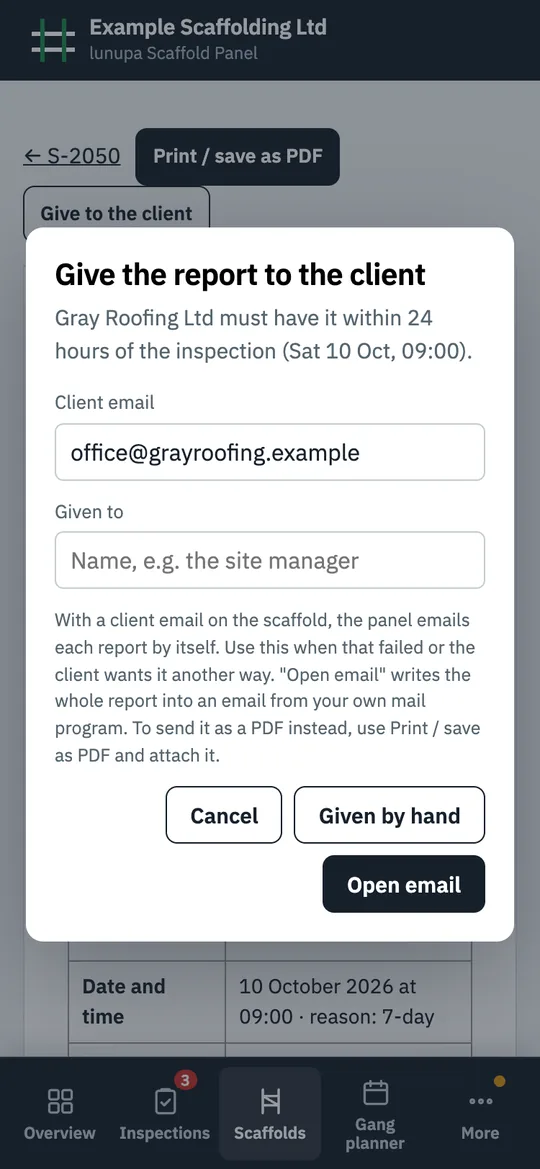
Give the report to the client
Hand it over or open it as an email in your own mail program. The panel records who got it, and lists every report still missing after 24 hours.
What the panel does
Each one opens in the demo.
7-day register
Every scaffold you inspect and its next due date, with a shorter interval for any scaffold that needs one. A 7am email on working days lists what is overdue or due, to up to 3 addresses.
Reports and handover certificates
Every detail the regulations ask for, plus the TG20 sheet and tie test on a handover.
Your own checklist
Write the checks and the usual faults for each, so the inspector picks a fault instead of typing it.
Defects to put right
A failed check goes to the office, who gives it to a person and a day in the gang planner.
QR code on the tag
Scan it for the latest status, with a tag at each access point of a big scaffold.
Photos and signatures
Up to 6 photos and a signature on each inspection, and the client signs at handover.
Drawings and documents
The design drawing and other PDFs or photos, kept with the scaffold they belong to.
Gang planner
Which gang works where each day, with a warning when an inspection lands on a gang with nobody who can inspect.
Erections and dismantles
Book them into the gang planner and see how many weeks of extra hire to invoice. The customer signs the off-hire note on site and gets it by email.
Quotes from a measurement
Type the length and height, and the lines are priced from your rate per m². The customer signs the quote and picks the week they would like you to start.
Hire terms and changes
An alteration or part strike changes the weekly hire from that day. Bill in advance or arrears, every week or every 4 weeks, with a minimum hire. Days billed in advance but not used go on a draft credit note.
Variations and visits
Variations are priced and signed on site, then go on the next invoice or application for payment. Inspection visits can be charged per visit.
Job profit
The gang types its hours for each job day. You see labour against what the quote allowed, and the margin on every job.
Who is where
Staff check in on their phone when they reach a site, so you see where each person is.
Team
Each person's gang and what they may do, and CISRS card end dates flagged 60 days ahead. The admin gives out logins under Settings.
Highway licences
The council licence for each scaffold on a road or pavement, flagged 14 days before it ends.
Vehicles and lifting gear
MOT, safety inspection and LOLER dates flagged 30 days ahead, and the driver's walkaround check.
Spreadsheet import
Bring in your scaffold list from a spreadsheet, and download your scaffold list and records at any time.
Who sees what
Three kinds of login. Scaffolders, drivers and yard staff get a site login.
| Admin | Office | Site | |
|---|---|---|---|
| Planner, scaffolds, kit, sign-offs, checks | Yes | Yes | Own work |
| Team list | Yes | Yes | No |
| Quotes, invoices, prices | Yes | Yes | No |
| Settings | Yes | Yes | Own password |
| Logins | Yes | No | No |
What a site login shows
It comes from the person's staff record.
| Scaffolder | Their gang's jobs for today and the week, and the defects given to them |
|---|---|
| Ticked "can inspect" | Also the inspections due, wind rechecks and the inspection form |
| Driver | The lorry runs they drive, what to load for each stop, the vehicle check, and kit and stock |
| Ticked "works in the yard" | What to load on each lorry today and tomorrow, the kit coming back, and kit and stock |
Security and your data
Passwords
Kept only as a check value, from which the password cannot be worked out (PBKDF2-SHA256, 600,000 rounds).
Two-step sign-in
Turn on a 6-digit code from an authenticator app, with recovery codes in case the phone is lost.
Sign-in limits
After five wrong passwords in 15 minutes, that sign-in is blocked. A sign-in lasts 12 hours, and a new password signs out every device.
No signal on site
The phone keeps a copy of the firm's data, so the panel works offline. Signing out deletes that copy from the phone.
Your records
Admin and office download the scaffold list, everything as one file, or the full records as a ZIP, at any time. When a contract ends, you get a full copy before anything is deleted.
Where it runs
A DigitalOcean server in New York. DigitalOcean has joined the EU-US Data Privacy Framework and its UK Extension.
The public pages set no cookies and use no analytics. More in the privacy notice.
How often should a scaffold be inspected?
At least every 7 days while it is in use, if someone could fall 2 metres or more from it. It is also inspected after it is put up or altered, before anyone uses it, and after anything that could have made it unsafe, such as high wind or a vehicle hitting it.
Are scaffold inspections a legal requirement?
Yes. The law on work at height says a competent person must inspect the scaffold and write up every inspection (Work at Height Regulations 2005, regulation 12).
Who can inspect a scaffold?
The law says a competent person. NASC guidance asks for a CISRS scaffold inspection card, or a CISRS Scaffolder card for basic scaffolds and an Advanced Scaffolder card for any scaffold. In the panel you tick who can inspect. Their name and position go on every report they sign, and the planner warns when an inspection lands on a gang without one.
Who is responsible for the 7-day inspection?
Whoever uses the scaffold. The scaffolding firm takes it on only when the client asks for it as a separate job (NASC guidance). In the panel each scaffold says who inspects it, and only yours go on your list.
Does a scaffold on a pavement need a licence?
Yes. A scaffold on or over a road or pavement needs a licence from the council, and the holder must light it from half an hour after sunset to half an hour before sunrise (Highways Act 1980, section 169). Each council adds its own conditions.
What goes in a scaffold inspection report?
The name and address of the client, where the scaffold is and what it is, the date and time of the inspection, anything found that could be a risk, the action taken, any further action needed, and the name and position of the inspector. The panel fills in the client, the location, the description and the time for you.
How long do I keep scaffold inspection records?
On site until the work is finished, then at your office for 3 months. The report has to reach the client within 24 hours of the inspection, and the panel shows every report that has not.
Is there an app?
The panel runs in the browser on a phone or a PC, so there is nothing to install. Put it on the phone's home screen and it opens with one tap.
Try it with an example firm
An example firm with 14 scaffolds around Greater Manchester, 8 of them on its own 7-day inspection list. No sign-in.
Plans from £99 a month. 14 days free, no card. See prices